

Compile a comprehensive view of all oil analysis program data generated.
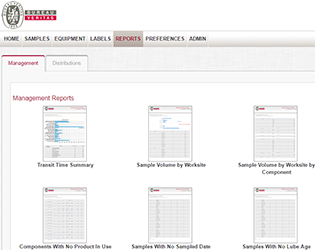
Fluid analysis only saves you money if you are saving equipment. The management reports within LOAMS provide a comprehensive view of all the data your oil analysis program generates.
- Document program strengths and eliminate weaknesses to elevate overall program performance
- Know that oil samples are shipped to the laboratory as soon as they are taken
- Monitor sample transit time to pinpoint issues that could be slowing turnaround time and costing you money in delayed maintenance action
- Enforce compliance with required sampling schedules to catch small problems in all of the components you are testing before they become catastrophic failures
- Address critical samples immediately and monitor those at lesser severities for changes in sample condition – trend analysis is key to achieving “normal” sample results across the board, which is the true measure of a successful fluid analysis program
Technical Support
- Help icons on each menu tab explain the tab’s functionality
- Quick Links give users access to detailed training videos, quick start guides and frequently asked questions
- The LOAMS Help Desk is available to demonstrate LOAMS features or answer at 1.800.655.4473 or loams@analystsinc.com.
More LOAMS Features & Functionality
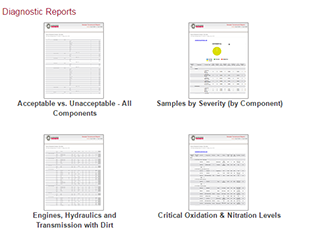 |
Diagnostic ReportsQuickly identify equipment-specific issues. |
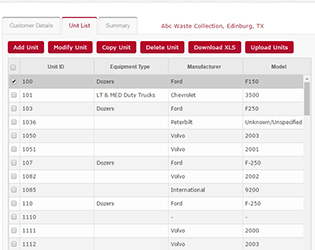 |
Equipment & Sample Report ManagementMaintain clean equipment lists, submit samples and print jar labels online and create custom search filters. |
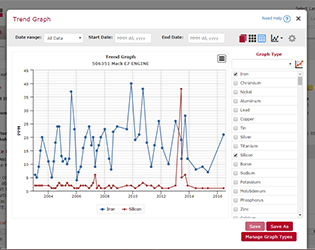 |
Trend GraphingChart sample conditions, pinpoint trends and compare unit and component performance. |
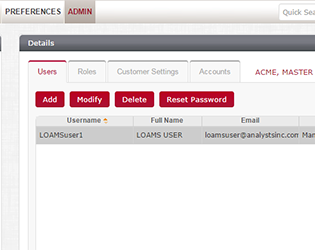 |
System Configuration & AdministrationUser roles are defined by permissions which determine what individual users can and cannot do in LOAMS. |
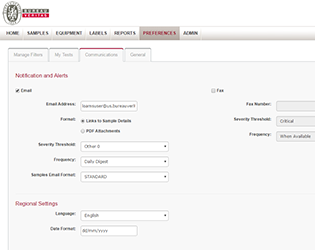 |
Communications & DistributionsUser preferences determine how and when information is received, how it’s displayed and how you can communicate it with others. |